
发布日期:2025-06-25 02:53 点击次数:93
想做一个简单的数据库表的统计工具。
用 AI,感觉整个人脑子都不好用了。
import pyodbcimport pandas as pdimport matplotlib.pyplot as pltimport seaborn as snsfrom datetime import datetimeimport warningswarnings.filterwarnings('ignore')class MSSQLTableAnalyzer: def __init__(self, server, database, username=None, password=None, trusted_connection=True): """ Initialize MSSQL connection Args: server: SQL Server name or IP database: Database name username: Username (optional if using Windows Authentication) password: Password (optional if using Windows Authentication) trusted_connection: Use Windows Authentication (default: True) """ self.server = server self.database = database self.username = username self.password = password self.trusted_connection = trusted_connection self.connection = None def connect(self): """Establish connection to MSSQL database""" try: if self.trusted_connection: # Windows Authentication connection_string = f""" DRIVER={{ODBC Driver 17 for SQL Server}}; SERVER={self.server}; DATABASE={self.database}; Trusted_Connection=yes; """ else: # SQL Server Authentication connection_string = f""" DRIVER={{ODBC Driver 17 for SQL Server}}; SERVER={self.server}; DATABASE={self.database}; UID={self.username}; PWD={self.password}; """ self.connection = pyodbc.connect(connection_string) print(f" Successfully connected to {self.database} on {self.server}") return True except Exception as e: print(f"❌ Connection failed: {str(e)}") return False def get_table_counts(self): """Query all tables and their row counts""" if not self.connection: print("❌ No database connection established") return None try: # Query to get all user tables and their row counts query = """ SELECT t.TABLE_SCHEMA as [Schema], t.TABLE_NAME as [Table_Name], p.rows as [Row_Count] FROM INFORMATION_SCHEMA.TABLES t INNER JOIN sys.tables st ON st.name = t.TABLE_NAME INNER JOIN sys.partitions p ON st.object_id = p.object_id WHERE t.TABLE_TYPE = 'BASE TABLE' AND p.index_id
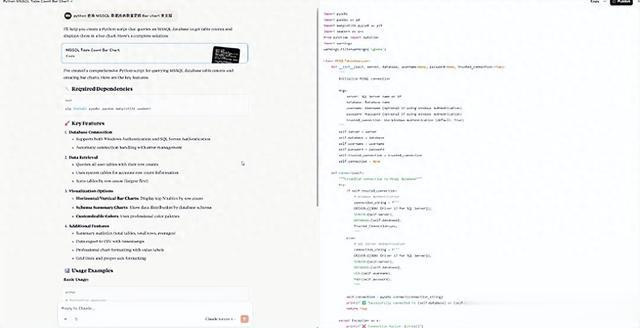
虽然离要求还是有点距离,但要用的几个库和数据库连接都没啥问题。
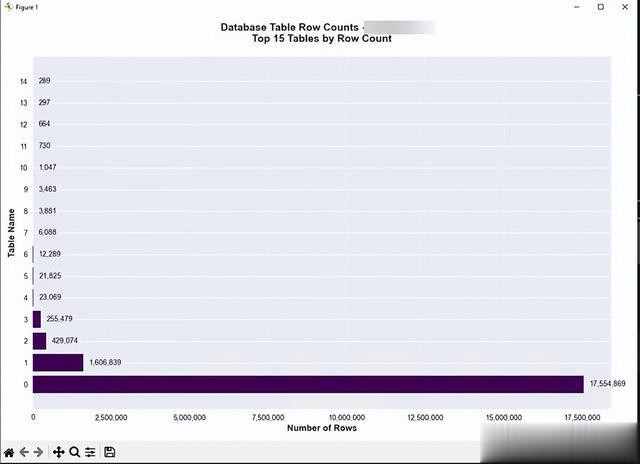
生成的图表也还能看。
